























Options Advanced mode

The advanced options are only shown when the installer mode is set to "Advanced." This section allows users to change or set advanced options, configure additional database settings and set other configuration options in the wp-config.php file.

Advanced Tab

These are the advanced options for advanced users.
Option Details
Processing
Extraction
Mode
Manual Archive Extraction
Set the Extraction value to "Manual Archive Extraction" when the archive file has already been manually extracted on the server. This can be done through your host's control panel such as cPanel or by your host directly. This setting can be helpful if you have a large archive file or are having issues with the installer extracting the file due to timeout issues.

PHP ZipArchive
This extraction method will use the PHP ZipArchive code to extract the archive zip file.

PHP ZipArchive Chunking
This extraction method will use the PHP ZipArchive code with multiple execution threads to extract the archive zip file.

Shell-Exec Unzip
This extraction method will use the PHP shell_exec to call the system unzip command on the server. This is the default mode that is used if it's available on the server.

DupArchive
This extraction method will use the DupArchive extractor code to extract the daf-based archive file.
Server
Throttling
If the current host is a budget host that monitors CPU usage, then users might want to consider checking this box to help slow down the process and not kick off any high-usage monitors.
Extraction Flow
Archive Action Extract files over current files
The existing site files will be overwritten with the contents of the archive.zip/daf.

Pro Remove WordPress core and content and extract
The existing WordPress core files and WordPress content directory will be removed, and then the archive will be extracted.

Pro Remove all files except add-on sites and extract
All files except an add-on site will be removed, and then the archive will be extracted. An add-on site is a site/domain that is stored in a directory off of your main site that has been "added on" to your main hosting account. For instance, when you purchased a hosting account it could be for a.com. Then after that, you decided to add b.com and c.com to the same hosting account. The structure of this setup is often the following although it can vary some:
  • /public_html - contains files for a.com
  • /public_html/b.com - contains files for b.com
  • /public_html/c.com - contains files for c.com
The directories /public_html/b.com and c.com contain the files for the add-on sites b.com and c.com (so the option above means that b.com and c.com would be preserved and not deleted when you installed to a.com)
Skip Files Extract all files
Extract all files from the package archive. This option is selected by default.

Pro Skip extraction of WordPress core files
Extract all files except WordPress core files. Choose this option to extract only the wp-content folder and other non-core WordPress files and directories.

Pro Skip extraction of WordPress core files and plugins/themes existing on host
Extract all files except WordPress core files and existing plugins/themes on the current host.

Pro Extract only media files and new plugins and themes
Extract all media files, new plugins, and new themes. The installer will not extract plugins and themes that already exist on the destination site.
File Times When the archive is extracted it should show the current date-time or keep the original time it had when it was built. This setting will be applied to all files and directories. Note: Setting the Original time is currently only supported when using the ZipArchive Format.
File
Permissions
Switch on and set permissions in either octal or symbolic values to assign permissions to files. This option is not available on Windows machines.
Directory
Permissions
Switch on and set permissions in either octal or symbolic values to assign permissions to directories. This option is not available on Windows machines.
Configuration Files
WordPress
wp-config
Do nothing
This option simply does nothing. The wp-config file does not get backed up, renamed, or created. This advanced option assumes you already know how it should behave in the new environment. This option is for advanced technical persons.

Modify original
This is the default recommended option which will modify the original wp-config file.

Create new from wp-config sample
This option creates a new wp-config file by modifying the wp-config-sample.php file. The new wp-config.php file will behave as if it was created in a fresh, default WordPress installation.

Apache
.htaccess
Do nothing
This option simply does nothing. The .htaccess is not backed up, renamed, or created. This advanced option assumes you already have your .htaccess file set up and know how it should behave in the new environment. When the package is built it will always create an .htaccess file at this location: /dup-installer/original_files_[HASH]/.htaccess Since the file is already in the archive file it will show up when the archive is extracted.

Retain original from Archive.zip/daf
This option simply copies the /dup-installer/original_files_[HASH]/.htaccess file to the .htaccess file. Please note this option will cause issues with the install process if the .htaccess is not properly set up to handle the new server environment. This is an advanced option and should only be used if you know how to properly configure your .htaccess configuration.

Create New
This is the default recommended option which will create a new .htaccess file. The new .htaccess file is streamlined to help guarantee no conflicts are created during install.

Notes: Inside the archive.zip or archive.daf will be a copy of the original .htaccess (Apache) file that was set up with your packaged site. The .htaccess file is copied to /dup-installer/original_files_[HASH]/source_site_htaccess. When using either "Create New" or "Retain original from Archive.zip/daf" an existing .htaccess file will be backed up to a /wp-content/backups-dup-lite/installer/original_files_[HASH]/source_site_htaccess. This change will not made until the final step is completed, to avoid any issues the .htaccess might cause during the install
General
php.ini, .user.ini,
web.config
OVERVIEW
When the archive is built it will always create an original backup of the php.ini, .user.ini, and web.config files ("Config Files") if they exist. The backups will be in the following location within the archive file without an extension. Original File Backups
archive.zip|daf/dup-installer/original_files_[HASH]/[location]_phpini
archive.zip|daf/dup-installer/original_files_[HASH]/[location]_userini
archive.zip|daf/dup-installer/original_files_[HASH]/[location]_webconfig
If there are "Config Files" on the new server, backups may also optionally be created. Backup [location] is defined by the following:
  • source_site Backup of original file when the archive was created on the source host
  • installer_host Backup of original file before the installer starts on active host

ACTIONS
Do nothing
This option performs no actions and assumes you already have your configuration files set up properly; either on the server or in the archive. If the same "Config Files" exist in both the deploy directory and the archive, then the archive files will overwrite any configuration files that exist at the same location in the archive.


Retain original from Archive.zip/daf
  1. Moves any existing "Config Files" on the new host to the following location: /dup-installer/original_files_[HASH]/installer_host_[CONFIG-TYPE]
    An existing "Config File" resides on the server before the archive is extracted or step 1 is ran.
  2. The installer last step copies all "Config Files" from the archive backups to the correct location on the new host. They are copied from this location:
    /dup-installer/original_files_[HASH]/source_site_[CONFIG-TYPE]

Reset
  1. Moves any existing "Config Files" on the new host to the following location: /dup-installer/original_files_[HASH]/installer_host_[CONFIG-TYPE]
    An existing "Config File" resides on the server before the archive is extracted or step 1 is ran.
  2. If any "Config Files" already exist in the archive they will be deployed "as is" to the location that matches the archive file structure.
General
Logging The level of detail that will be sent to the log file (installer-log.txt). The recommended setting for most installs should be "Light." Note if you use Debug the amount of data written can be very large. Debug is only recommended for support.
Cleanup Pro Remove disabled plugins/themes
Remove all inactive plugins and themes when installing site. Inactive users will also be removed during subsite to standalone migrations.

Pro Remove users without permissions
Removes users that currently do not have any permissions associated with their accounts.
Safe Mode Safe mode is designed to configure the site with specific options at install time to help overcome issues that may happen during the install where the site is having issues. These options should only be used if you run into issues after you have tried to run an install.

Disabled
This is the default. This option will not apply any additional settings at install time.

Enabled
When enabled the safe mode option will disable all the plugins at install time. Note: When this option is set you will need to manually re-enable the plugins that need to be enabled after the install from the WordPress admin plugins page.


Database Tab

These are the advanced options for database configuration.
Option Details
Table Prefix Pro This option allows changing the table prefix to other than the package creation site's table prefix. The table prefix is the value placed in the front of your database tables. It is possible to have multiple installations in one database if you give each WordPress site a unique prefix.
Mode Modes affect the SQL syntax MySQL supports (and others such as MariaDB) . This setting performs various data validation checks. This makes it easier to use MySQL in different environments and to use MySQL together with other database servers. It is very useful when running into conversion issues. The following options are supported:
  • Default: This is the recommended setting to use. It will use the current Database mode setting.
  • Disable: This will prevent the database engine from running in any mode.
  • Custom: This option will allow you to enter a custom set of mode commands. See the documentation link below for options.
For a full overview please see the MySQL mode and MariaDB mode specific to your version. To add a custom setting enable the Custom radio button and enter in the mode(s) that needs to be applied.
Processing Chunking mode
Split the work of inserting data across several requests. If your host throttles requests or you're on a shared server that is being heavily utilized by other sites then you should choose this option. This is the default option.

Single step
Perform data insertion in a single request. This is typically a bit faster than chunking, however it is more susceptible to problems when the database is large or the host is constrained.
Create Run all CREATE SQL statements at once. This option should be checked when source database tables have foreign key relationships. When choosing this option there might be a chance of a timeout error. Uncheck this option to split CREATE queries in chunks. This option is checked by default.
Objects Allow or Ignore objects for "Views," "Stored Procedures," "Functions" and "DEFINER" statements. Typically the defaults for these settings should be used. In the event you see an error such as "'Access denied; you need (at least one of) the SUPER privilege(s) for this operation" then changing the value for each operation should be considered.


URLs & Paths Tab Pro

In the tab "URLs & Paths," you can read the current path of all the various path configurations for the WordPress site. These are advanced options that should only be edited if you know the correct path. These options are editable in the Pro version. These paths and URLs are set automatically by the package installer. You can set these paths and URLs manually. If you are changing it, please make sure you are putting the right path or URL.


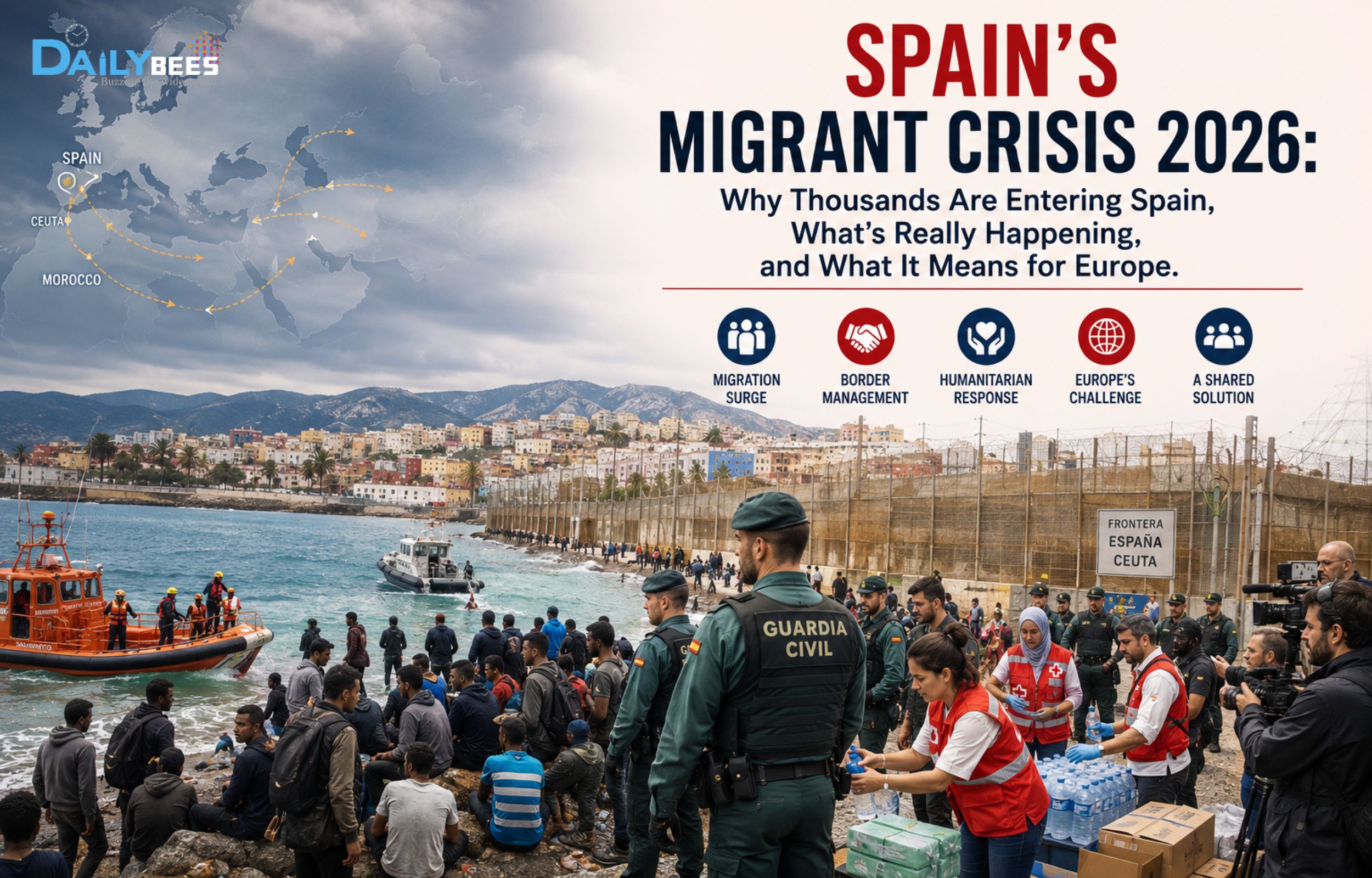
Spain's Migrant Crisis 2026: Why Thousands Are Entering Spain
Home News Spain’s Migrant Crisis 2026: Why Thousands Are Entering Spain, What’s Really Happening,...

Spain’s Migrant Crisis 2026: Why Thousands Are Entering Spain, What’s Really Happening, and What It Means for Europe

0
187
Spain's Migrant Crisis 2026: Ceuta Border Explained

Every few years, Europe witnesses a migration crisis that captures global attention. In 2026, Spain has once again become the center of international headlines after tens of thousands of migrants attempted to enter the Spanish enclave of Ceuta from neighboring Morocco.

Videos of massive crowds moving toward the border, people swimming across the sea, and Spanish security forces trying to control the situation have gone viral on social media. But what is really happening? Why are so many people risking their lives? And why can’t Spain simply stop everyone from entering?

Let’s understand the complete picture.

What Is Happening in Spain?

Spain is currently facing one of its biggest migration challenges in recent years. Thousands of migrants from various African countries have attempted to cross into Ceuta, a small Spanish territory located on the northern coast of Africa.

Since Ceuta is part of Spain, entering it means entering the European Union (EU).

The sudden surge has overwhelmed border authorities, humanitarian organizations, and emergency services.

What Is Ceuta and Why Is It So Important?

Although Spain is located in Europe, it owns two small territories in North Africa:

  • Ceuta
  • Melilla

These enclaves share land borders with Morocco, making them one of the easiest land routes into Europe.

Because of this unique geography, Ceuta has become one of Europe’s most sensitive migration hotspots.

Why Are Thousands of Migrants Entering Spain?

Several factors have contributed to this migration wave.

1. Economic Hardship

Many migrants are escaping:

  • Extreme poverty
  • Lack of employment
  • Food insecurity
  • Rising inflation
  • Poor living conditions

Many believe Europe offers better opportunities for work and education.

2. Armed Conflicts and Political Instability

Some migrants are fleeing countries affected by:

  • Civil wars
  • Terrorism
  • Political unrest
  • Government instability

For many families, migration is viewed as a matter of survival.

3. Climate Change

Long droughts, failed crops, and water shortages in several African regions have made farming impossible for many communities.

Climate migration is becoming an increasingly important factor.

4. Human Smuggling Networks

Criminal organizations often promise migrants:

  • Easy entry into Europe
  • Jobs after arrival
  • Permanent residence

Many migrants pay large sums of money to smugglers, only to face dangerous journeys.

5. Social Media Misinformation

Authorities say false information spread online convinced many people that:

  • Spain had opened its borders.
  • Entry into Europe would be easy.
  • Migrants would automatically receive asylum.

These rumors encouraged many people to attempt the crossing.

Why Are People Swimming Into Spain?

Unlike many migration routes, Ceuta has beaches directly connected to Morocco.

Many migrants:

  • Swim around border fences
  • Use inflatable tubes
  • Cross during the night
  • Attempt dangerous sea routes

Sadly, not everyone survives.

Why Can’t Spain Just Stop Them?

This is one of the most searched questions online.

The answer is more complex than it appears.

Spain must follow:

  • Spanish law
  • European Union law
  • International human rights agreements
  • Refugee protection rules

Authorities must:

  • Rescue people in danger at sea.
  • Process asylum applications where required.
  • Respect international legal obligations.

At the same time, Spain is also responsible for protecting its borders.

What Is Spain Doing?

The Spanish government has taken several measures:

  • Increased police deployment
  • Sent additional military support
  • Reinforced border fencing
  • Improved surveillance
  • Worked with Moroccan authorities
  • Returned many migrants who entered illegally under existing agreements

Spain is also seeking additional support from the European Union.

What Is Morocco’s Role?

Morocco plays a major role because migrants must first reach Moroccan territory before attempting to enter Ceuta.

The Moroccan government has:

  • Increased border patrols
  • Conducted operations against smuggling gangs
  • Coordinated with Spanish authorities
  • Investigated the spread of false information encouraging illegal crossings

Cooperation between Spain and Morocco is considered essential for managing the situation.

Why Is This Crisis Important for Europe?

The issue extends far beyond Spain.

Migration affects:

  • Border security
  • Humanitarian aid
  • National budgets
  • Labor markets
  • Public services
  • International relations

The crisis has renewed debates across Europe about how to balance humanitarian responsibilities with effective border management.

Humanitarian Concerns

International organizations have raised concerns over:

  • Deaths during dangerous crossings
  • Injuries
  • Children traveling alone
  • Lack of shelter
  • Medical emergencies
  • Food and water shortages

Aid agencies continue to provide emergency assistance to affected people.

Political Debate

The crisis has intensified political discussions across Europe.

Some leaders argue for:

  • Stronger border security
  • Faster deportation procedures
  • Tougher action against smuggling networks

Others emphasize:

  • Protecting refugees
  • Expanding legal migration pathways
  • Improving international cooperation
  • Addressing the root causes of migration

Has Europe Taken a Different Stand Than It Did on India?

The Spain migration crisis has also sparked debate in India. Many people believe that when India raised concerns about illegal migration and strengthened measures such as the CAA and NRC, several European lawmakers and human rights organizations criticized aspects of those policies over concerns related to human rights and due process.

Today, as Spain faces a large-scale migration surge, it has reinforced border security, deployed additional police and military personnel, and increased cooperation with Morocco to control illegal crossings. This has led some commentators to question whether Europe is now placing greater emphasis on border protection than it did when commenting on India’s immigration policies.

European officials, however, maintain that there is no contradiction. Their position is that every country has the sovereign right to protect its borders, provided immigration laws are enforced in accordance with human rights and international law. Whether this reflects a double standard or simply different circumstances remains a matter of political debate.

Frequently Asked Questions (FAQs)

Why are migrants choosing Spain instead of other European countries?

Spain’s North African enclaves provide one of the few land routes into the European Union, making them an attractive entry point.

Is Ceuta part of Spain?

Yes. Ceuta is an autonomous Spanish city located in North Africa and is part of both Spain and the European Union.

Are all migrants refugees?

No. Some people may qualify for refugee protection because they are fleeing persecution or conflict, while others are migrating primarily for economic reasons. Each case is assessed individually under applicable laws.

Why don’t authorities simply close the border?

Borders are already heavily guarded, but completely sealing them is extremely difficult. Authorities must also comply with legal obligations, including rescue operations and asylum procedures.

Is this the first migration crisis in Spain?

No. Spain has experienced several migration surges over the years, particularly involving Ceuta, Melilla, and the Canary Islands. However, the scale and humanitarian impact of the current crisis have drawn renewed international attention.

What Happens Next?

Spain is expected to continue strengthening border security while working closely with Morocco and the European Union to manage migration. Longer-term discussions are likely to focus on reducing the influence of smuggling networks, combating misinformation, improving asylum systems, and addressing the economic and political conditions that drive people to migrate.

Conclusion

The migration crisis in Spain is more than a border issue—it reflects global challenges involving poverty, conflict, climate change, and human mobility. While Spain must protect its borders, it also faces legal and humanitarian responsibilities toward people seeking safety or better opportunities.

Understanding the full context behind the headlines helps explain why this issue remains one of Europe’s most complex and closely watched challenges.